Prototyping and Engineering Tips from Robogears
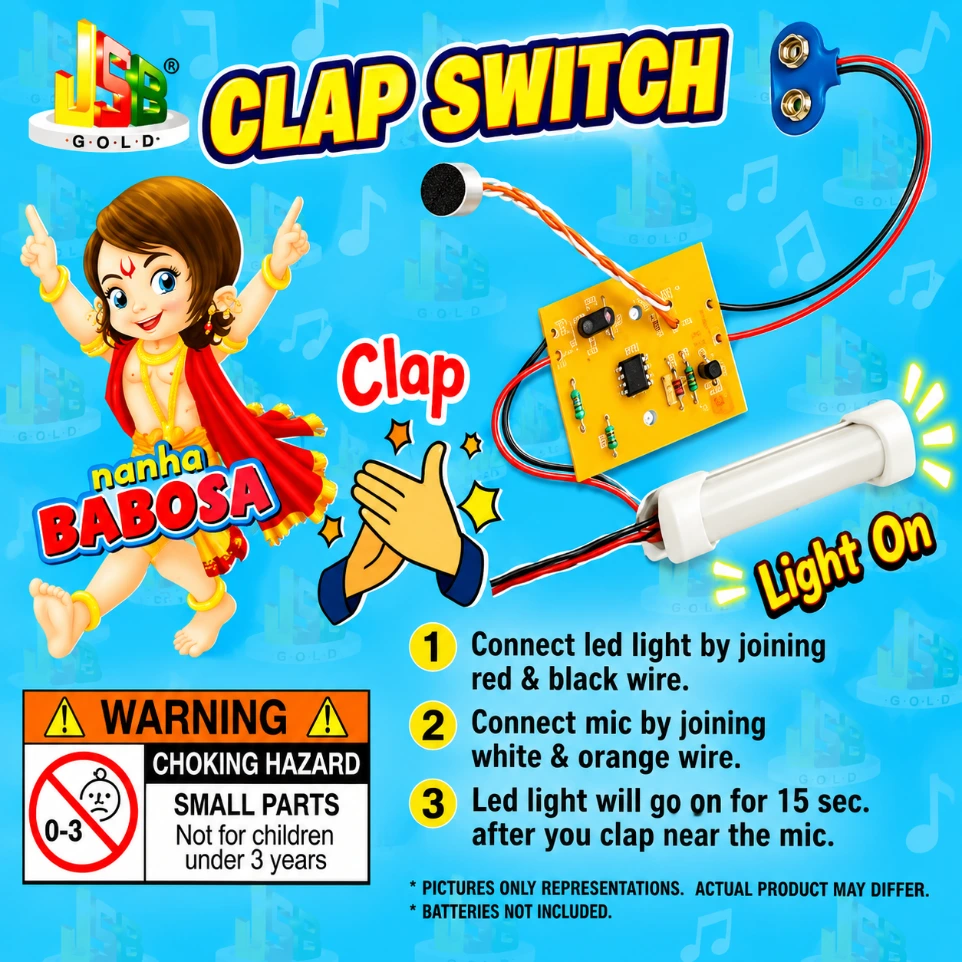
Wiring Guide: Always follow the provided instructions: Connect the Red & Black wires to the LED and the White & Orange wires to the Mic. Reversing these will prevent the circuit from triggering.
Sensitivity Check: For the best response, clap your hands roughly 12–24 inches away from the microphone. If it doesn't trigger, ensure the mic "head" is pointed toward the sound source and not covered by tape.
Environmental Noise: In a very noisy classroom, the switch may stay "on" constantly. Try to demonstrate this in a quiet area so the mic can distinguish the "clap" sound from background chatter.
Battery Life: If the LED appears dim or the switch fails to turn off, it usually indicates the 9V battery is low. Replace with a fresh battery to restore the 15-second timing accuracy.
Package Includes
1 x Pre-Assembled Clap Switch Logic Board
1 x High-Sensitivity Microphone
1 x LED Light Component
1 x 9V Hi-Watt Battery & Snapper
1 x Set of Connecting Wires
1 x Instruction Manual
Disclaimer
Images are for reference; actual PCB layout or LED style may vary slightly. CHOKING HAZARD: Contains small parts; not suitable for children under 3 years. BATTERY NOTE: Always disconnect the battery when the project is not in use to prevent slow drainage.