Product Description & Technical Details
Product Description
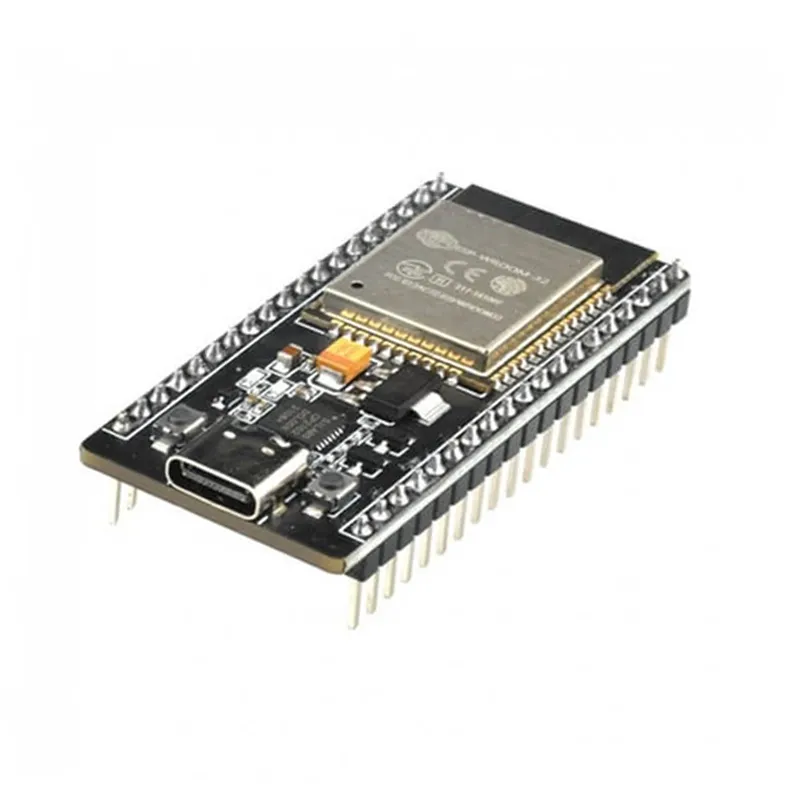
The 38-Pin CP2102 ESP32 Development Board is the ultimate expansion version of the popular ESP32 platform. Designed for power users and complex IoT projects, this board breaks out nearly every single GPIO pin of the ESP32-WROOM-32D module, providing significantly more I/O options than the standard 30-pin version. It features a modern Type-C USB port for improved durability and the premium Silicon Labs CP2102 bridge for rock-solid serial communication. Whether you are building a high-definition audio streamer, a complex robotics controller, or a high-density sensor hub, this 38-pin variant ensures you never run out of pins for your peripherals.
Key Highlights
Extended 38-Pin Layout: Provides access to specialized pins that are often hidden in smaller form factors, including additional ADC channels and touch sensors.
Premium CP2102 Chipset: Offers better driver support and more stable high-speed data transfer compared to CH340 alternatives, making it ideal for professional development.
Dual-Core 240MHz CPU: The two Xtensa® 32-bit LX6 cores allow for true multitasking—run your web server on one core while processing real-time sensor data on the other.
Durable Type-C Interface: The reversible Type-C port is rated for more insertion cycles than Micro-USB, ensuring a long lifespan for your development hardware.
Versatile Power Options: Can be powered via the Type-C port or directly through the VIN pin, with a high-quality onboard 3.3V LDO regulator.
Technical Specifications
SRAM: 520 KB
Clock Frequency: 80MHz to 240MHz
WiFi Security: WPA/WPA2/WPA2-Enterprise/WPS
Digital I/O Pins: Up to 32 (depending on configuration)
Interfaces: 3x UART, 3x SPI, 2x I2C, 16x PWM, 2x DAC
Dimensions: ~55mm x 28mm
Installation Tip from Robogears
Because the 38-pin version is wider than the 30-pin model, it will cover almost all the holes on a standard half-size breadboard. We recommend using two breadboards side-by-side or a specialized 38-pin ESP32 Expansion Shield to allow for easy wiring. In the Arduino IDE, select "ESP32 Dev Module" as your board. If you experience upload issues, ensure you are using a high-speed Type-C data cable, as some "charging-only" cables will not expose the COM port to your computer.
Note: The product images provided are for illustration purposes only. The actual product may vary slightly in terms of design, color, or component layout due to manufacturing updates, but technical specifications will remain as described.