Installation Tip from Robogears
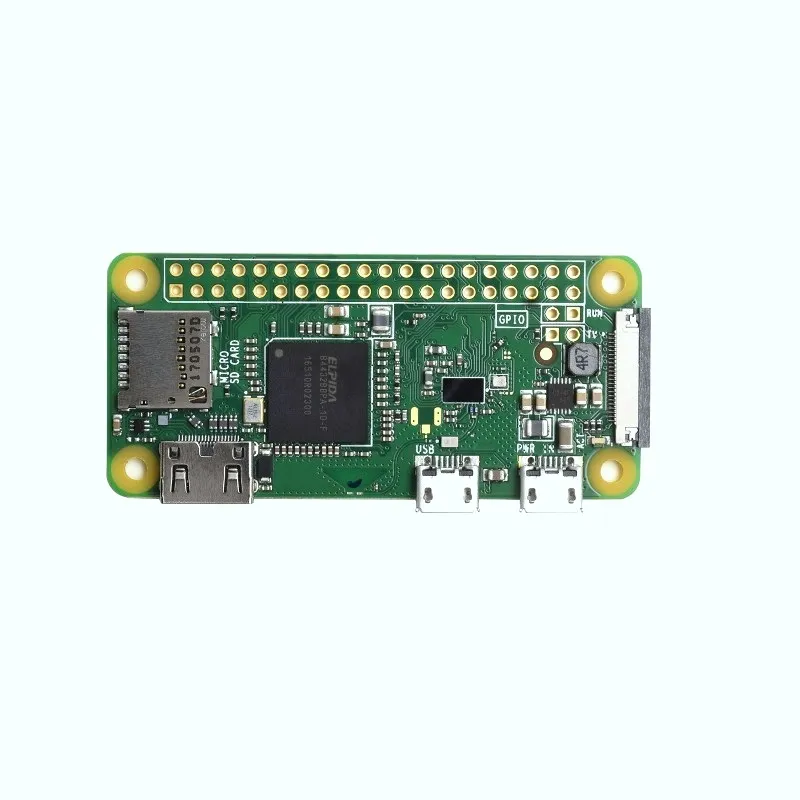
Because of its unique form factor, the Zero W requires specific adapters: a Mini-HDMI to Standard HDMI adapter for video and a Micro-USB OTG cable to connect standard USB devices like keyboards or mice. To program the GPIO pins, you will need to solder 2.54mm male headers into the unpopulated holes. If you are building a headless project (controlling it via SSH), you can configure the WiFi settings directly on the MicroSD card before booting for the first time. Note that for camera projects, the Zero W uses a smaller 22-pin ribbon cable; the standard cable provided with most Pi cameras will not fit without an adapter.
Note: This product is the Raspberry Pi Zero W board ONLY. Power supply, MicroSD card, case, and adapter cables are sold separately. Product images are for illustration purposes only.