Product Description & Technical Details
Product Description
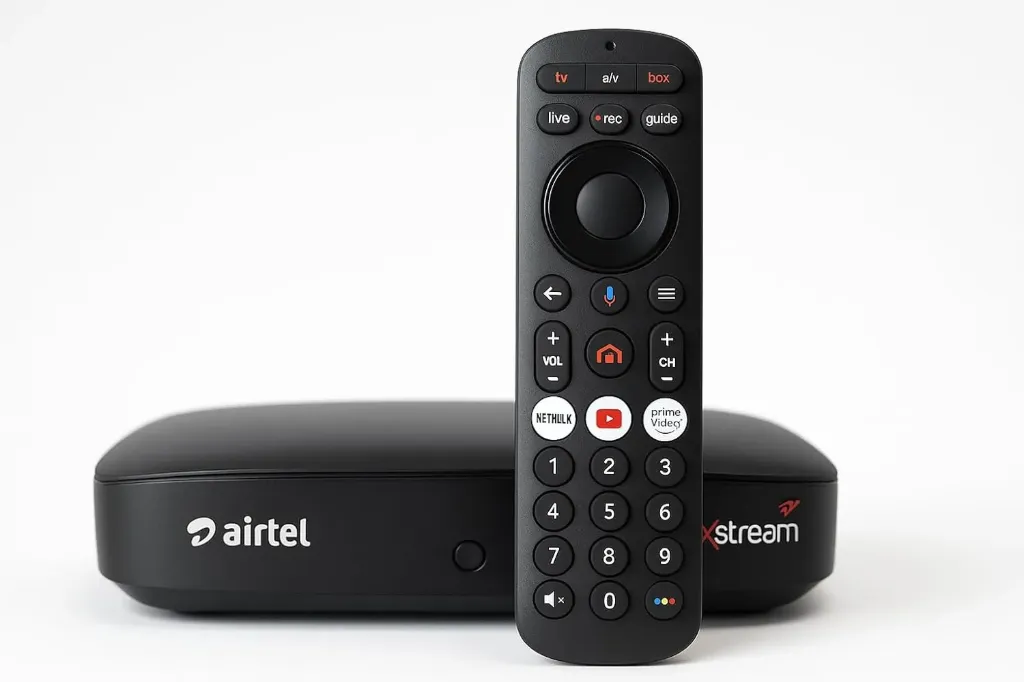
The Original Bluetooth Voice Remote is a premium replacement controller designed for modern smart entertainment systems. Unlike traditional IR remotes that require a direct line-of-sight, this remote utilizes Bluetooth technology, allowing you to control your TV from any angle or even from behind obstacles. The standout feature is the integrated Google Assistant button, which lets you search for content, check the weather, or control smart home devices using just your voice. Its sleek, minimalist design includes a precision navigation wheel and dedicated hotkeys for instant access to popular streaming platforms.
Key Highlights
Advanced Voice Command: Simply press the dedicated mic button to invoke Google Assistant. "Find action movies" or "Open YouTube" commands are processed instantly via the built-in high-sensitivity microphone.
Bluetooth Pairing Stability: Once paired, the remote maintains a rock-solid connection, eliminating the lag often found in generic replacements.
Hybrid IR Capability: Includes an IR transmitter for the Power and Volume buttons, ensuring compatibility with TV hardware functions even before Bluetooth is paired.
Tactile Navigation Wheel: The central D-pad is optimized for the Android TV interface, allowing for fast scrolling through apps and menus.
Premium Build: Constructed from high-quality ABS plastic with a matte finish that resists fingerprints and provides a secure grip.
Technical Specifications
Wireless Protocol: Bluetooth Low Energy (BLE) 4.2 or higher
Frequency: 2.4GHz
Material: Anti-slip ABS Plastic
Dimensions: ~150mm x 38mm x 15mm
Weight: ~65g
Indicator: LED light for pairing and voice activity status.
Prototyping & Installation Tip (Pairing Process)
Because this is a Bluetooth device, it must be paired to your TV to enable voice features.
Go to your TV's Settings > Remotes & Accessories.
Select "Add Accessory".
On the remote, press and hold the "Home" and "Back" (or sometimes "Volume -" and "Source") buttons simultaneously for 5–10 seconds until the LED starts blinking.
Select the remote name from the TV screen to complete the connection.
Note: Always use fresh Alkaline batteries; low voltage can cause Bluetooth pairing to drop or voice recognition to fail.
Note: This is an Original-style Bluetooth Voice Remote. It requires a Bluetooth-enabled TV or Box to support voice functions. Product images are for illustration purposes only.