🔧 Prototyping and Engineering Tips from RoboGears
-
Do not undersize the power supply. For high-output builds, use a quality 24V–28V supply capable of at least 10A.
-
Speaker impedance directly affects available output. A higher-impedance speaker generally results in lower maximum output from the same supply.
-
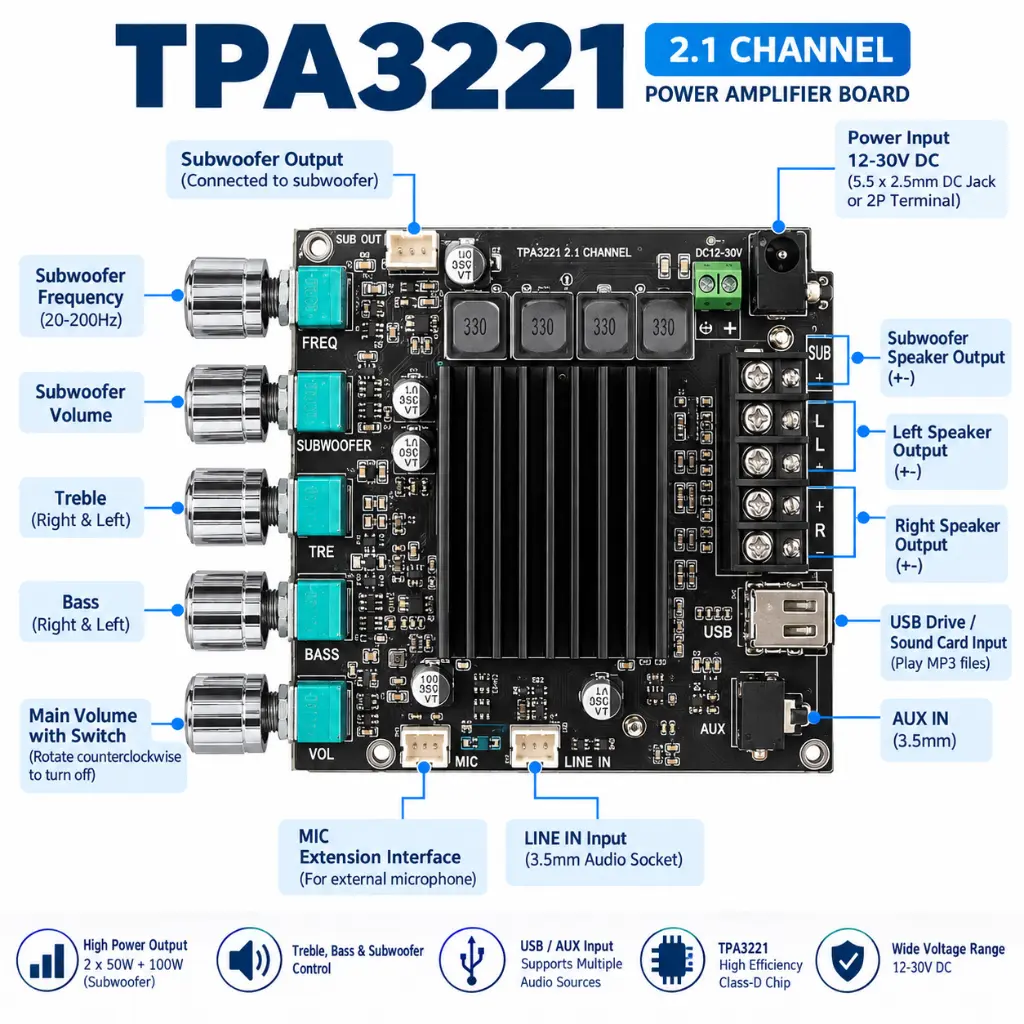
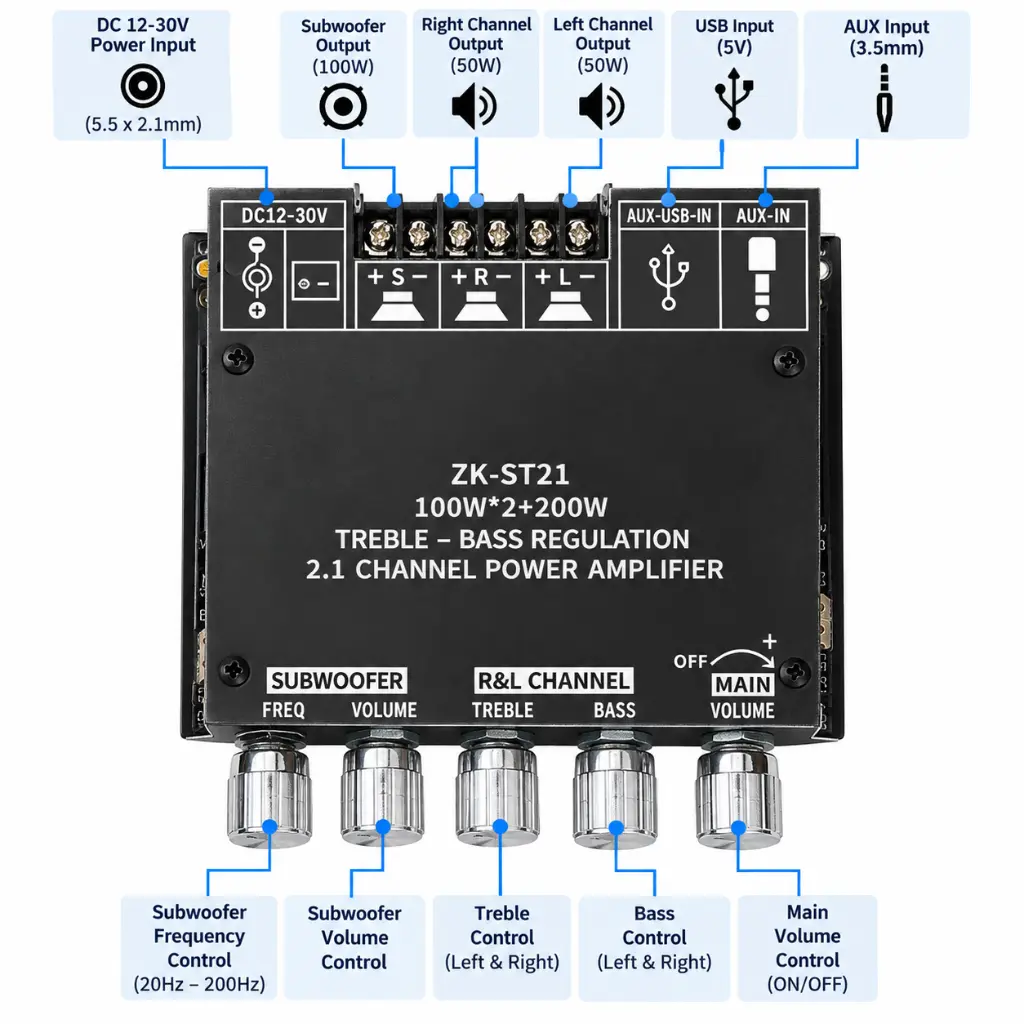
Do not connect a 2Ω load to the stereo L/R outputs. The documented L/R speaker range starts at 3Ω; the subwoofer output supports 2Ω–8Ω.
-
Use heavy enough power wiring. A high-power amplifier drawing several amps should not be powered through thin jumper wires.
-
Keep the heatsink ventilated. Do not completely seal the board inside a small enclosure without adequate airflow.
-
Test each channel at low volume first. Verify left, right and subwoofer connections before increasing the output.
-
Keep speaker-wire strands under control. A loose strand touching an adjacent terminal can create an output short.
-
Maintain correct polarity. Consistent speaker polarity is particularly important for proper bass response in a 2.1 system.
-
Keep low-level AUX wiring away from high-current power wiring where practical to reduce unwanted noise.
-
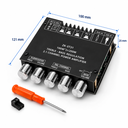
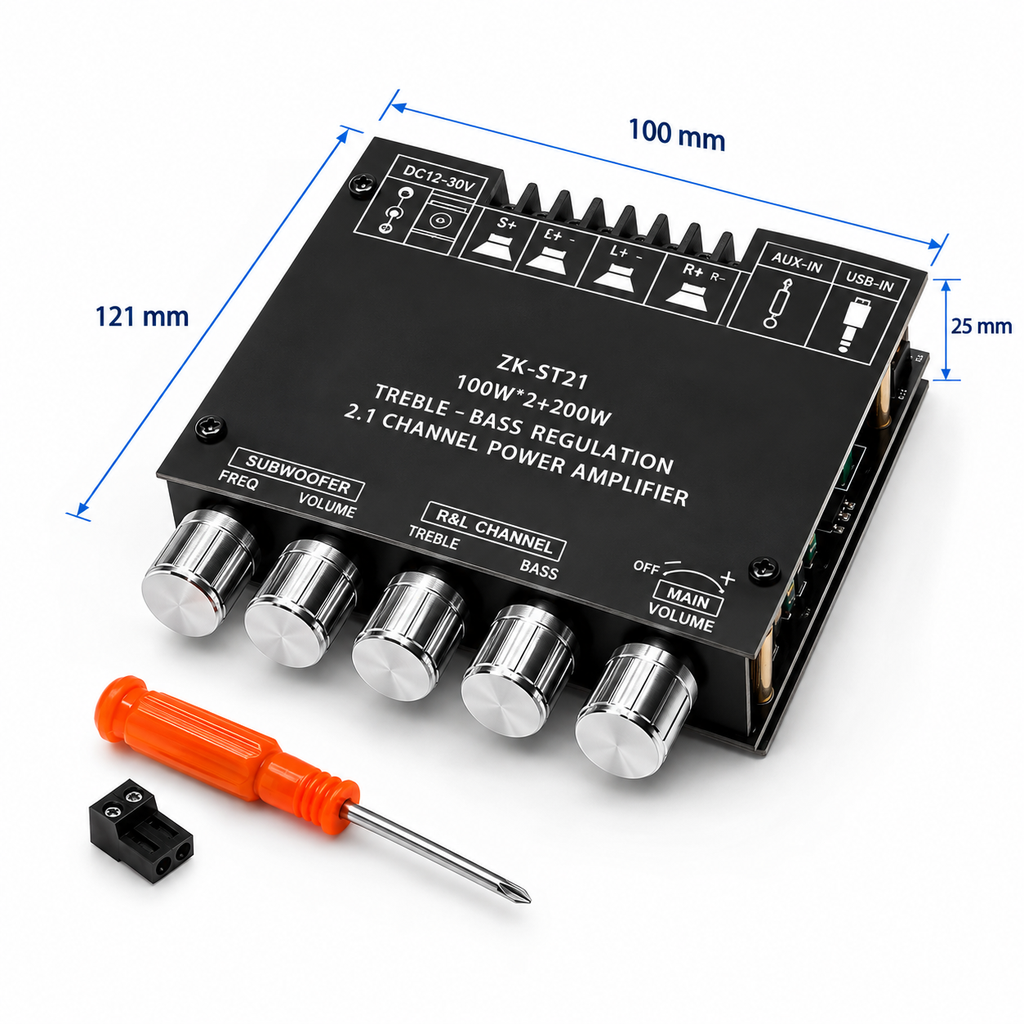
Measure the actual board before machining an enclosure. The documented size is approximately 121 × 100 × 25mm, but allow additional clearance for terminals, knobs, wiring and ventilation.
⚠️ Common Mistakes
1. Expecting 400W from a Small Power Supply
The amplifier cannot produce its highest advertised output if the power source cannot provide sufficient voltage and current.
2. Connecting the Wrong Speaker Impedance
Use:
L/R → 3Ω–8Ω
SUB → 2Ω–8Ω
3. Using an Underrated Power Supply
A weak supply can cause reduced output, distortion or unstable operation at high volume.
4. Shorting Speaker Outputs
Never allow positive and negative speaker terminals or exposed wire strands to touch.
5. Poor Cooling
High-power continuous operation requires adequate ventilation around the heatsink.
6. Changing Connections While Powered
Disconnect the power before modifying speaker, power or other wiring.
Troubleshooting
Problem: Board does not power on
Possible Cause: Incorrect supply voltage, polarity or wiring.
Solution: Verify that the supply is within DC 12V–30V and check the power connections.
Problem: Sound distorts at high volume
Possible Cause: Insufficient power supply capability, speaker mismatch or clipping.
Solution: Reduce volume and verify the power supply and speaker configuration.
Problem: Subwoofer output is too low
Possible Cause: Subwoofer volume/frequency adjustment or unsuitable speaker configuration.
Solution: Check the dedicated subwoofer controls and verify the subwoofer impedance.
Problem: Only one stereo channel works
Possible Cause: Speaker wiring, speaker fault or input issue.
Solution: Check/swap the speakers and wiring at low volume to isolate the issue.
Problem: Bluetooth connection is unstable
Possible Cause: Excessive distance or wireless obstruction/interference.
Solution: Move the source device closer. The specified normal range is up to approximately 15m under suitable conditions.